Getting started
A beginner home studio: what you need for the music you want to make
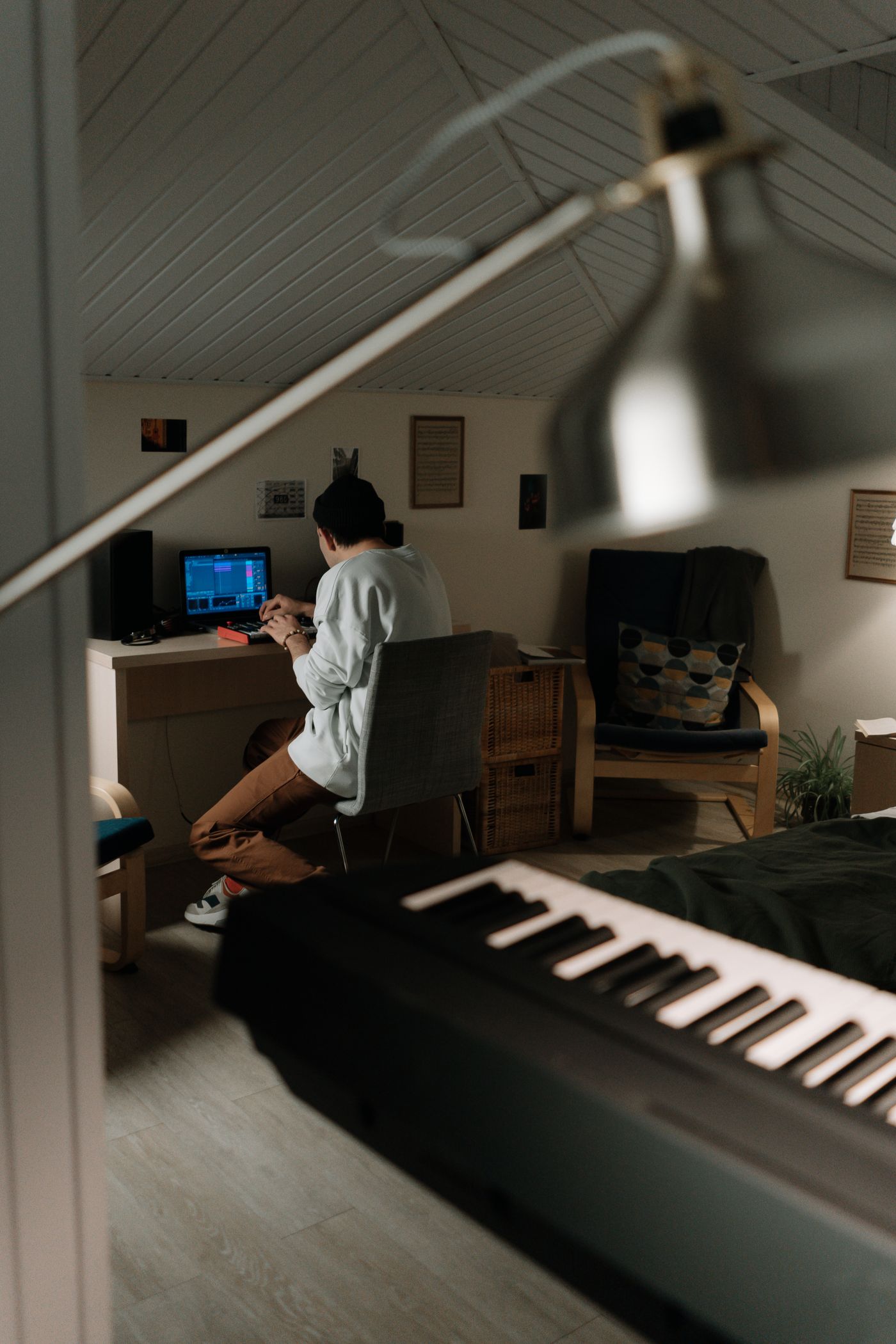
A useful home studio is a setup you can understand and use regularly. Start with the kind of music you make, then add equipment only when it solves a real need.

Describe the music you want to make first
Write down the first three things your studio needs to do. You might want to program beats, record a solo voice and share a rough mix. Or you might want to record guitar phrases and arrange keyboard parts. Those tasks lead to different equipment choices, even though both setups may fit on a small desk.
SODIUM COLLAB is a browser music studio that brings recording, MIDI writing, instruments, effects and shared projects together. Use it as the centre of a small test setup: headphones for writing, built-in instruments for notes and a usable input for recording. Start with today's song. Let that project show what your setup needs next.
Choose a simple starting route
| Route | Good first task | Check before choosing |
|---|---|---|
| Computer, headphones and a DAW | Write with instruments, notes and existing sounds | The software can create and export the parts you need |
| Computer, USB microphone and headphones | Record a voice with a compact setup | Microphone compatibility, placement and usable monitoring |
| Computer, audio interface, suitable microphone and headphones | Choose a recording microphone or connect an instrument | Required inputs, connections and software support |
An audio interface connects recording sources and listening equipment with a computer. It is useful when you need the connections for a microphone or instrument. If today's goal is writing a beat with SODIUM COLLAB's built-in sounds and drawn notes, begin with the computer and headphones, then test what your next recording task needs.
A USB microphone offers another recording route. An interface and compatible microphone can provide different connection and expansion choices. Choose according to the part you want to record in SODIUM COLLAB, the complete setup and the sound you can obtain. A compact single-voice setup and a setup for several recording inputs answer different musical needs.
SODIUM COLLAB supports all three musical starting points in one browser studio: built-in instruments, original recordings and shared arrangement. Choose the route that fits what you want to make today. You can add the other ingredients when the song needs them instead of buying a complete setup in advance.
Check the whole chain before buying one piece
Look at how the sound gets into the computer and how you will hear it. Check the microphone's connection, any required power, the recording input and the headphone connection. Follow the manufacturers' compatibility guidance rather than assuming two connectors will work together because an adapter exists.
- Does the input accept the kind of microphone or instrument you intend to use?
- Can the device connect to your computer with the required cable and supported software?
- Will the recording application recognize the input you need?
- Can you listen comfortably while recording without an echo that distracts you?
- Are the stand, cables and other necessary pieces included in your plan?
Think of this as planning one recording session. If you cannot describe how you would connect and test the setup, pause the purchase and check the missing detail. A microphone without the needed input or a keyboard that does not match your intended task can become an expensive way to postpone making music.
Make your space useful before making it impressive
Choose a position where you can work regularly and keep important controls within reach. Make space for a microphone stand if you record. Put lyrics, an instrument or a controller where they do not force an awkward performance position. A repeatable setup saves you from rebuilding the session every time you have an idea.
Listen to the room before spending on recording equipment. Record a quiet phrase in two places and compare the reflections and background noise in SODIUM COLLAB. Choose the more useful position before another equipment purchase. Soft furnishings can help you experiment with reflections; they do not provide sound isolation from neighbors or outside noise.
Keep the early goal modest: a place where you can hear your decisions and capture useful takes. A home studio does not have to look like a commercial recording room to serve that purpose. You can improve a specific acoustic or practical problem after the first tests reveal it.
Run a complete test session
In SODIUM COLLAB, create a project and choose Add instrument for a short keyboard or bass part. If recording is part of your plan, use Set up recording, arm the intended track and record a test. Listen with the equipment you will normally use, export an audio copy and open it outside the studio. You have checked the route from a musical idea to a shareable file.
Make the test resemble your actual work. If you will sing an energetic chorus, include a loud phrase rather than testing only quiet speech. If you will write bass-led music, use a small bass part and judge whether you can follow it beside the drums. If you will collaborate, try the handoff you intend to use rather than assuming that a successful solo session proves every sharing step.
Write one sentence about the most obvious limitation: “The room is loud during the quiet line,” “I cannot hear the melody over the drums,” or “The keyboard is uncomfortable to play.” Each points toward a different solution. The test turns a vague wish for better equipment into a decision you can investigate.
Upgrade the limitation you can name
Before buying another device, try a musical or practical adjustment. A balance problem may be solved by lowering a track. A difficult performance may need a better stand position. A distracting room noise may need a different recording time. These are useful solutions even when you later choose new equipment.
When equipment is the right solution, compare options against your requirement. How many suitable inputs do you need? Will you use a keyboard often enough to justify desk space? Will speakers be useful in your room, or are headphones a more practical first listening route? Include the complete setup in your budget rather than evaluating one advertised item in isolation.
Why SODIUM COLLAB fits a small first studio
SODIUM COLLAB brings audio recording, MIDI writing, built-in instruments, effects and sharing into the same browser studio. That is useful for a small setup: you can draw a bass part, capture a vocal and arrange both without collecting equipment for every musical role. Desktop Chrome is recommended for the beta, and recording requires browser permission for the intended input.
Test the shared side of your setup too. Invite a collaborator to a SODIUM COLLAB project with the appropriate role and use project chat to ask about the vocal or arrangement. Let that musical result guide the next purchase. Join the SODIUM COLLAB beta mailing list to hear when it opens. Learn covers the actual recording setup when you need control-by-control help.
Quick answers
Do I need studio monitor speakers immediately?
Not for every first task. Headphones can be a practical starting point for writing and recording, especially where speaker sound would enter a microphone. Choose speakers when you have a clear listening need and a suitable place to use them.
Should my first microphone be USB or use an audio interface?
Choose by the complete recording route. A USB microphone can keep a single-source setup compact. An interface with a compatible microphone offers other input and expansion choices. Check the equipment, software and monitoring you will actually use before buying.
What should I spend first if my budget is small?
Solve the part of your planned work that you cannot currently do. That may be a recording input, a reliable stand or no purchase at all. Test what you have, identify the obstacle and compare complete solutions rather than collecting equipment without a musical purpose.